
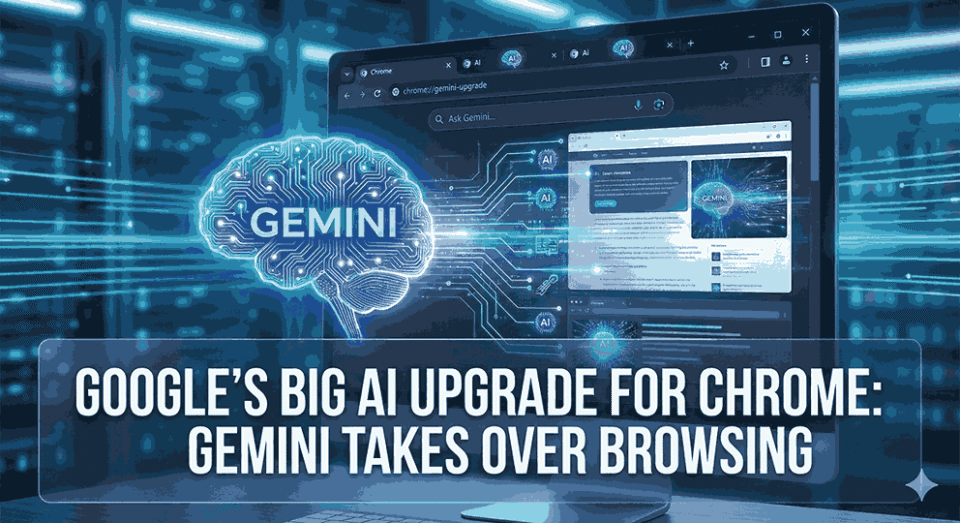
Google just changed the game. Again.
Their latest Chrome update isn’t just another incremental feature drop; it’s a fundamental reimagining of what a web browser can actually do. By weaving Gemini AI directly into Chrome’s DNA, Google’s essentially turned your browser into something closer to a digital assistant that actually browses for you. And honestly? It feels both incredibly convenient and slightly unsettling at the same time.
This move comes as competitors like OpenAI (Atlas) and Perplexity (Comet) push AI-first browsing experiences. Google’s counterpunch is classic: don’t reinvent the browser, upgrade the one everyone already uses.
Is Chrome Still Just a Browser, or a Quiet Co-Pilot Now?
Unlike previous AI bolt-ons that felt… well, bolted on, these Gemini features are baked right into Chrome’s core experience. We’re not talking about a chatbot that pops up occasionally. This is persistent, contextual intelligence that fundamentally alters how you interact with the web.
Recent News: OpenAI Prism: AI Workspace for Medical & Scientific Research
Why Put Gemini in a Side Panel Instead of Making It Pop Up?
The Gemini side panel stays available as a permanent part of Chrome’s interface, rather than appearing as a floating widget. That matters because it lets you chat with Gemini while keeping your current tab, your current thought, and your current mess of research open.
It’s like having someone on standby who doesn’t interrupt you. Until you ask them something. Then they suddenly become very, very involved.
Can Auto Browse Really Run Multi-Step Web Tasks Without You Babysitting?
Here’s where things get wild.
Auto Browse essentially lets Chrome become autonomous . Tell it “find me the cheapest flight to Tokyo next month,” and it doesn’t just search. It actually navigates through multiple travel sites, compares prices, checks dates, and presents you with options. Need to fill out a tedious form? Chrome can handle that. Want to compare product specifications across five different retailers? Done.
But (and this is a big but) Google built in safety rails. Chrome won’t complete purchases or log into accounts without explicit permission from you . Every sensitive action requires a human thumbs-up, which honestly seems like the bare minimum responsible approach when you’re letting AI control your browser.
The potential here is enormous. Imagine cutting down hours of research to minutes. The risk? Well, we’re essentially teaching browsers to navigate the web without us. That’s either incredibly liberating or mildly terrifying depending on your perspective (maybe both).
Know about: 5 Google Chrome Problems and How To Fix Them
What Is Nano Banana, and Why Is Chrome Doing Image Work Now?
Nano Banana is built-in image generation and editing inside Chrome, so you’re not constantly bouncing to external tools for quick visuals. The name is… a choice. But the capability is practical: quick edits, lightweight creative tasks, browser-native workflows.
It’s not replacing Photoshop. Let’s not pretend. But it might replace a few “open another app” moments, and that’s a real win.
Can Gemini Actually Understand What You’re Doing Across Multiple Tabs?
Gemini’s contextual awareness across tabs is a big deal because modern browsing is rarely single-page. It’s multi-tab chaos. Gemini can summarize what you’re reading, compare what you opened, and help you connect the dots without you constantly explaining, “No, I meant the other tab, the one with the pricing table.”
With permission, it can also pull context from other Google services like Calendar, Gmail, and Maps. That’s where it gets powerful. That’s also where privacy-minded folks start narrowing their eyes.
Is Gemini 3 the Real Story Behind This Upgrade?
Many of these features are enabled by Gemini 3, which is positioned as Google’s latest step forward in generative AI. The important change is not just better writing or better answers. It’s improved “agentic” ability, meaning it can reason through steps and handle multiple tasks more naturally.
Older AI felt like a talker. This version is aiming to be a doer. Big difference.
Are You Browsing the Web, or Is the Web Being Browsed for You?
Is the Chrome Address Bar Turning Into a Built-In AI Command Line?
AI Mode in the omnibox means browsing and AI are no longer separate lanes. You type a query, and Gemini can respond directly, sometimes without you needing to click anything.
That’s fast. It’s also a shift in power: websites may get fewer visits when answers show up before the click.
Will Summaries and Auto-Research Save Time, or Create New Mistakes?
Gemini can summarize long articles, videos, and documents, and it can help automate research tasks that usually take repeated searching and note-taking. For productivity, it’s tempting. Very tempting.
But summaries can flatten nuance, miss context, or gloss over the one sentence that actually mattered. So yes, it saves time. And yes, it can also quietly introduce errors if you treat it like a perfect assistant instead of a fast intern.
How Deep Does Google App Integration Go Once You Say “Allow”?
With user permission, Gemini can use signals and data from services like Gmail, Maps, and search history to provide richer context. That’s Google’s core advantage. No startup browser has that ecosystem baked in at the same depth.
It’s also exactly why this feels like more than a browser update. It feels like a platform move.
Is This Feature Set for Everyone, or Only for Paying Users First?
Agentic capabilities like Auto Browse are positioned as early access features for higher subscription tiers such as AI Pro and AI Ultra. Rollout is expected to start in the U.S. first, with broader availability later.
That tiering is strategic. It also means the loudest demos might not match what most users can touch today, which is worth remembering when hype gets spicy.
Can Agentic Browsing Be Safe When It Touches Logins and Payments?
Auto Browse is designed to request permission for sensitive actions such as logins and purchases. That’s the right direction, because you do not want AI improvising with your credentials or money. Nobody does.
Still, there are risks: phishing flows, wrong clicks, misunderstood intent, and the messy reality of the modern web. The web is not a clean lab environment. It’s a crowded bazaar.
Is Google Trying to Outrun the AI Browser Rivals in One Leap?
This update positions Chrome against AI-centric browsers being built by competitors like OpenAI (Atlas) and Perplexity (Comet). Those competitors can design around AI from day one. Google’s advantage is distribution: Chrome is already where people live online.
So the battle isn’t just “who has better AI.” It’s “who controls the default behavior of browsing.”
What Breaks First When Browsing Becomes Autonomous?
Agentic browsing can stumble on real-world web friction like CAPTCHAs, inconsistent layouts, paywalls, and multi-step flows that vary by user state. It can also struggle when instructions are ambiguous, because humans often speak in half-sentences and assumptions. Like we do.
And then there’s the uncomfortable part: if an AI makes a mistake quietly, you might not notice until it matters. That’s not a small issue. That’s the issue.
Will This Turn Into Personal Intelligence, or Just More Buttons?
Google has hinted toward deeper personalized assistance over time, potentially moving Chrome from reactive help to proactive guidance. That could mean Chrome learning patterns and offering actions before you ask.
The upside is convenience. The downside is the feeling of being observed, even if the system is technically “permissioned.” People don’t just worry about privacy. They worry about vibes. And vibes matter.
Is This the End of Passive Browsing as We Know It?
Chrome is shifting from a passive tool to a proactive assistant that can summarize, compare, navigate, and act. That’s the headline, but it’s also the philosophical shift: we’re moving from “I browse the web” to “I delegate the web.”
If this works reliably, it will reshape daily productivity. If it works unreliably, it’ll still reshape behavior, because people will try it anyway. Humans are like that.
Official Source: https://blog.google/products-and-platforms/products/chrome/gemini-3-auto-browse/
Disclaimer: This article is for informational purposes only and reflects general reporting and public discussion as of January 2026. Features and availability may vary by region, device, and subscription tier, and readers should verify details through official product documentation before enabling sensitive AI permissions.
