
Cloud platforms now enable AI teams to scale training workloads across over 1,000 GPU instances instantly, reducing idle time by up to 40%. This dynamic elasticity transforms how IT professionals and data scientists approach model development. You’ll discover how cloud computing delivers specialized hardware, cost efficiency, and secure data pipelines that accelerate AI training while maintaining budget control and compliance standards.
Key takeaways
| Point | Details |
|---|---|
| Elastic scaling | Cloud resources expand instantly to meet peak AI training demands without infrastructure delays. |
| Specialized accelerators | TPUs and GPUs in cloud environments boost training speed significantly over general compute. |
| Cost control | Pay-as-you-go models and spot instances reduce expenses but require active monitoring. |
| Secure data pipelines | Cloud storage integrates compliance frameworks like HIPAA and GDPR for protected AI workflows. |
| Myth busting | Cloud AI training often outperforms on-premises setups in latency, cost, and hardware access. |
Introduction to cloud computing for AI model training
Training advanced AI models demands computational power that traditional infrastructure struggles to provide. Deep learning workloads require thousands of processing hours across multiple GPUs or TPUs. On-premises data centers face fixed capacity limits, forcing teams to either overprovision hardware or accept training bottlenecks.
Cloud computing eliminates these constraints through elastic resource allocation. You access computing power on demand, scaling from a single GPU to hundreds within minutes. This flexibility matches infrastructure to workload requirements precisely.
Pay-as-you-go pricing converts capital expenses into operational costs. Instead of purchasing expensive hardware that sits idle between projects, you rent compute resources only when needed. This model particularly benefits teams with variable training schedules or experimental workloads.
Key advantages of cloud AI training include:
- Immediate access to latest GPU and TPU generations without hardware refresh cycles
- Geographic distribution of compute resources to reduce data transfer latency
- Managed services that handle infrastructure maintenance and software updates
- Integration with storage and data pipeline tools for streamlined workflows
- Horizontal scaling across thousands of nodes for distributed training jobs
Understanding cloud resource models helps you optimize training efficiency. Virtual machines provide familiar environments but require manual configuration. Managed services like AWS SageMaker or Google AI Platform automate infrastructure tasks, letting you focus on model development. Container orchestration systems like Kubernetes offer fine-grained control over resource allocation across training jobs.
How cloud resource elasticity enhances AI training
Elastic provisioning matches compute resources to training stages dynamically. Early experimentation might need just a few GPUs, while hyperparameter tuning demands hundreds. Cloud platforms allocate resources automatically based on workload specifications, eliminating manual intervention.
Integrated orchestration handles heterogeneous hardware allocations seamlessly. You can combine GPUs for model training, CPUs for data preprocessing, and high-memory instances for dataset loading. The platform coordinates these resources, ensuring data flows efficiently between processing stages.

Scaling reaches thousands of compute units instantly when training large models. Distributed training frameworks like Horovod or PyTorch DDP leverage this capacity, splitting workloads across multiple nodes. What takes weeks on-premises completes in days or hours through cloud AI benefits like massive parallel processing.
Immediate scaling reduces idle resource time significantly. Traditional clusters often run at 40 to 60 percent utilization because teams reserve capacity for peak demands. Cloud elasticity eliminates this waste, provisioning resources exactly when needed and releasing them immediately after job completion.
Resource orchestration minimizes manual intervention and downtime. Automated failover systems detect hardware failures and migrate training jobs to healthy nodes without data loss. Checkpointing saves model states periodically, allowing training to resume from the last saved point rather than starting over.
Pro Tip: Configure auto-scaling policies to add GPU instances when training loss plateaus slowly, indicating the need for more computational power to explore the solution space efficiently. This reactive scaling optimizes both training speed and cost.
Dynamic resource allocation also supports multi-stage training pipelines:
- Data augmentation uses CPU-heavy instances to generate synthetic training samples
- Initial training phases leverage standard GPUs for rapid iteration
- Fine-tuning stages switch to high-performance accelerators for precision optimization
- Inference testing deploys temporary endpoints to validate model performance before production
Specialized AI hardware in the cloud and their impact
GPUs remain the most versatile accelerators for AI training workloads. They handle diverse architectures from convolutional neural networks to transformers effectively. NVIDIA A100 and H100 GPUs deliver exceptional throughput for deep learning operations, with broad framework support across TensorFlow, PyTorch, and JAX.
TPUs offer higher compute density optimized specifically for matrix operations common in neural networks. Google’s TPU v4 pods provide up to 9 exaflops of computing power, accelerating large language model training by 2 to 3 times compared to equivalent GPU configurations. TPUs excel with models using TensorFlow or JAX but have limited compatibility with other frameworks.
FPGAs provide customizability for specialized workloads requiring low latency inference or unusual operations. They’re less common in training scenarios due to programming complexity and longer development cycles. However, FPGAs shine in production inference where millisecond-level latency matters.
| Hardware Type | Best Use Cases | Typical Cost Range | Framework Support |
|---|---|---|---|
| GPUs (A100, H100) | General deep learning, computer vision, NLP | $2 to $4 per hour per instance | Broad (TensorFlow, PyTorch, JAX, MXNet) |
| TPUs (v3, v4) | Large language models, recommendation systems | $1.35 to $8 per hour per chip | Limited (TensorFlow, JAX) |
| FPGAs | Custom operations, ultra-low latency inference | $1.50 to $3 per hour | Requires custom development |
| CPU instances | Data preprocessing, small models, orchestration | $0.10 to $1 per hour | Universal |
Each hardware type presents specific cost-performance tradeoffs. GPUs provide the best balance of flexibility and performance for most teams. TPUs deliver superior economics for very large models but lock you into specific frameworks. Understanding these differences helps you analyze AI performance against budget constraints.
Choice must align with workload characteristics:
- Batch size requirements affect memory needs, favoring high-memory GPU instances or TPU pods
- Model architecture determines optimal accelerator type
- Training dataset size influences storage integration needs
- Timeline constraints may justify premium hardware despite higher hourly costs
Economic and operational benefits of cloud AI training
Cloud computing shifts infrastructure from capital expenditure to operational expense models. Cloud-based AI model training reduces capital expenditures by up to 70% compared to on-premises HPC clusters. This transformation improves cash flow and eliminates technology refresh cycles every three to five years.
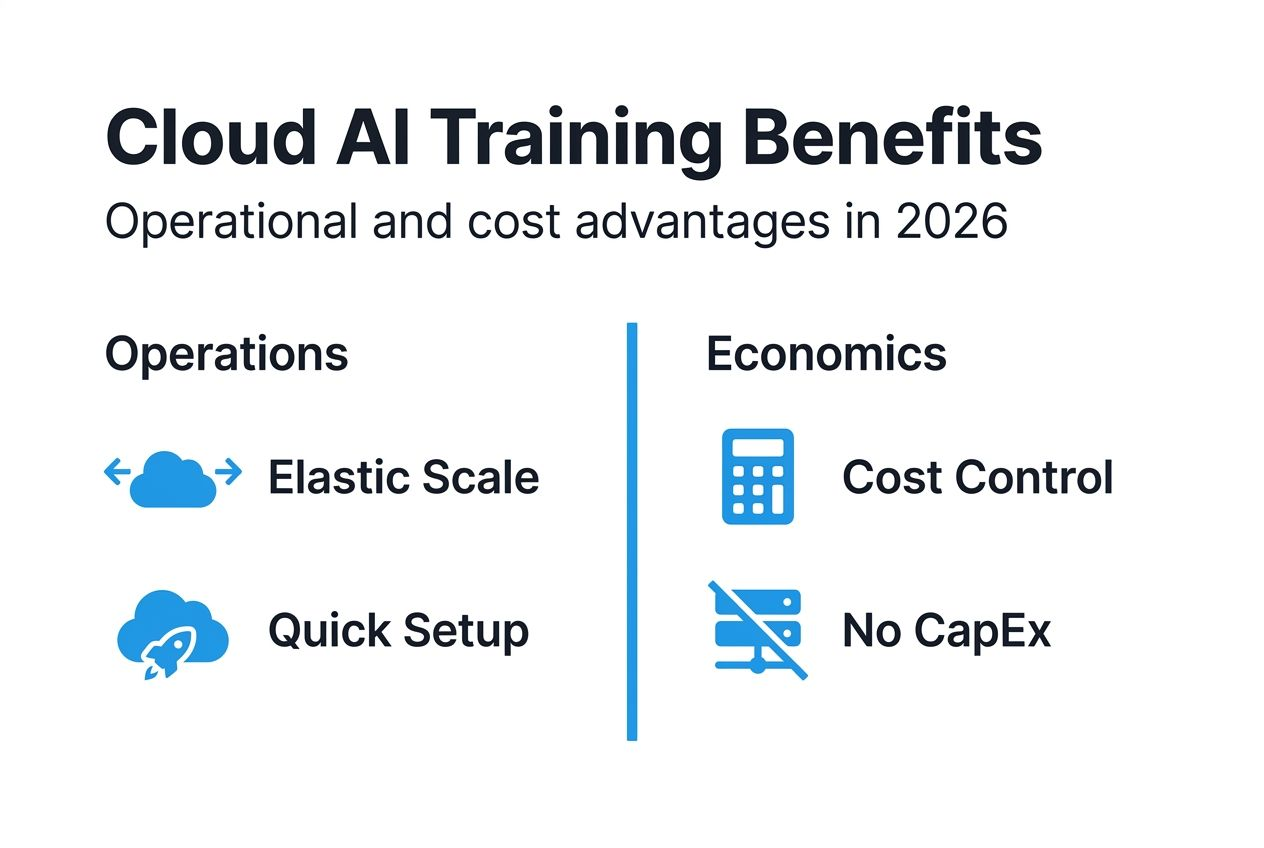
Spot and preemptible instances cut training costs dramatically when workloads tolerate interruptions. These discounted resources run at 60 to 90 percent savings versus on-demand pricing. Implementing checkpointing enables training to resume after preemption, making spot instances viable for most deep learning projects.
Cost predictability requires budgeting and monitoring tools. Unmanaged cloud AI training budgets exceed plans by 20 to 40 percent without proper tracking. Cloud providers offer cost management dashboards showing resource consumption in real time. Setting spending alerts prevents budget overruns.
Operational workflows improve significantly with managed cloud services. Infrastructure provisioning that took weeks on-premises completes in minutes. Automated scaling responds to workload changes without manual intervention. Managed Jupyter notebooks, experiment tracking, and model registries accelerate development cycles.
Tradeoffs exist between cost savings and availability guarantees:
- Spot instances save money but may terminate during training
- Reserved instances require upfront commitment but offer 40 to 60 percent discounts
- On-demand resources provide guaranteed availability at premium pricing
- Sustained use discounts reward consistent workload patterns automatically
Pro Tip: Run initial experimentation on spot instances with frequent checkpointing, then switch to on-demand resources for final training runs requiring uninterrupted completion. This hybrid approach balances cost optimization with reliability.
Additional operational advantages include:
- Global infrastructure reduces latency for distributed teams accessing shared resources
- Version control integration tracks model iterations alongside code changes
- Collaborative environments enable multiple data scientists to share experiments and results
- Automated backups protect training data and model checkpoints from hardware failures
Data integration, storage, and security in cloud AI training
Cloud storage enables seamless, scalable data lakes supporting petabyte-scale AI training datasets. Object storage services like AWS S3 or Google Cloud Storage provide high-throughput access for distributed training jobs. Data lakes consolidate raw data, processed features, and model artifacts in unified repositories.
Real-time ingestion pipelines support faster iteration cycles by streaming fresh data directly into training workflows. Apache Kafka, AWS Kinesis, and Google Pub/Sub handle continuous data flows from production systems. This eliminates batch processing delays, keeping models trained on current data.
Compliance with standards like HIPAA, GDPR, and CCPA is critical when training models on sensitive data. Cloud providers implement robust frameworks meeting these requirements through encryption, access controls, and audit logging. Understanding your AI data security guide responsibilities in the shared security model ensures compliance.
Cloud providers implement multiple security layers:
- Encryption at rest protects stored training data and model weights
- Encryption in transit secures data moving between storage and compute resources
- Identity and access management controls who can access training resources
- Virtual private clouds isolate training infrastructure from public networks
- Compliance certifications validate adherence to industry standards
Proper data architecture prevents bottlenecks and ensures data integrity. Partitioning large datasets across multiple storage buckets enables parallel loading during training. Caching frequently accessed data in high-speed storage tiers reduces I/O wait times. Data validation pipelines catch corrupt records before they poison model training.
Integrating big data in AI workflows requires careful pipeline design. ETL processes transform raw data into training-ready formats. Feature stores serve preprocessed features consistently across training and inference. Data versioning tracks dataset changes, ensuring reproducibility of training experiments.
Common misconceptions about cloud AI model training
Cloud AI training actually outperforms on-premises latency in many scenarios due to advanced networking infrastructure. Cloud providers deploy high-bandwidth connections between compute and storage resources. Co-locating training infrastructure near data sources eliminates long-distance transfers causing delays in distributed data centers.
Costs can be controlled effectively through spot instances and monitoring, debunking expense myths. Teams worried about runaway cloud bills often lack proper budgeting tools. Setting resource quotas, using cost alerts, and implementing auto-shutdown policies keep expenses predictable. Strategic use of reserved capacity for baseline workloads further reduces costs.
Security and data control meet strict compliance requirements, countering privacy concerns. Cloud platforms maintain certifications for healthcare, financial services, and government standards. You retain full ownership and control of training data. Encryption keys managed through hardware security modules ensure even cloud providers cannot access your data without permission.
Cloud hardware options exceed on-premises capabilities with exclusive accelerators like TPUs. Maintaining cutting-edge GPU clusters on-premises requires constant capital investment. Cloud providers refresh hardware regularly, giving you immediate access to latest generations. You avoid technology obsolescence that plagues owned infrastructure.
Migration from on-premises to cloud requires careful planning but risks are manageable:
- Pilot projects test cloud training workflows before full commitment
- Hybrid approaches keep sensitive data on-premises while leveraging cloud compute
- Cloud-agnostic tools like Kubernetes prevent vendor lock-in
- Gradual migration phases reduce operational disruption
Understanding these cloud AI misconceptions helps you make informed decisions about infrastructure strategy. Many perceived obstacles to cloud adoption stem from outdated information or misunderstanding cloud capabilities.
Emerging cloud-native AI training frameworks and tools
TensorFlow Cloud simplifies model deployment by packaging local training code for cloud execution automatically. You develop models on your laptop, then scale training to hundreds of GPUs with minimal code changes. The framework handles resource provisioning, job submission, and result retrieval transparently.
AWS SageMaker provides managed training pipelines covering the entire ML lifecycle from data labeling through model monitoring. Built-in algorithms handle common tasks like image classification and text analysis. Custom containers support any framework or library. SageMaker automatically tunes hyperparameters, saving weeks of manual experimentation.
Cloud-native tools reduce manual orchestration and human errors significantly. Infrastructure-as-code templates define training environments reproducibly. Automated experiment tracking logs every training run with associated hyperparameters and metrics. Model registries maintain version history and deployment metadata.
Training setup times shrink from days to minutes with these platforms. Pre-configured environments include popular frameworks and libraries ready to use. Distributed training configurations that required expert knowledge now work through simple API calls. This acceleration enables rapid experimentation cycles.
These tools integrate seamlessly with elastic hardware for optimized resource use:
- Automatic resource selection matches instance types to workload requirements
- Multi-instance training distributes jobs across optimal hardware configurations
- Managed spot training handles interruptions through automatic checkpointing
- Real-time monitoring dashboards show resource utilization and training progress
Exploring essential AI tools reveals additional platforms streamlining cloud AI workflows. Azure Machine Learning offers similar capabilities with deep integration into Microsoft ecosystems. Google Vertex AI unifies data engineering and ML operations on a single platform.
Staying current with the AI tools checklist 2026 ensures you leverage latest innovations. New tools emerge regularly, offering improved performance or simplified workflows.
Conclusion and practical recommendations for cloud AI training
Successful cloud AI training requires strategic planning balancing cost, performance, and compliance needs. Start by assessing your current infrastructure limitations and identifying specific pain points. Determine whether elasticity, hardware access, or operational efficiency drives your cloud adoption.
Select hardware based on workload characteristics and framework compatibility. GPUs provide versatility for most scenarios. TPUs deliver superior economics for very large models using TensorFlow or JAX. Test performance with small pilot projects before committing to specific accelerator types.
Implement cost monitoring from day one to prevent budget overruns. Use spot instances for development and experimentation workloads. Reserve capacity for predictable baseline training loads. Set spending alerts at 75 and 90 percent of monthly budgets to catch anomalies early.
Design scalable data pipelines with security as a priority. Encrypt data at rest and in transit. Implement least-privilege access controls restricting resource access to authorized users only. Validate compliance with relevant regulations through provider certifications and your own audits.
Follow these practical steps for implementation:
- Start with a small pilot project testing cloud training workflows on non-critical models
- Measure performance metrics including training time, cost per epoch, and resource utilization
- Compare results against on-premises baselines to quantify improvements
- Gradually migrate additional workloads as you build operational expertise
- Continuously optimize configurations based on monitoring data and new tool releases
- Document best practices and share knowledge across your team
Monitor emerging tools to continually optimize AI training workflows. Cloud providers release new services and hardware regularly. Staying informed about innovations ensures you leverage latest capabilities improving efficiency and reducing costs.
Pro Tip: Schedule quarterly reviews of your cloud AI training architecture to identify optimization opportunities. New instance types, pricing models, or managed services often provide immediate benefits requiring minimal migration effort.
Explore AICloudIT’s resources to enhance your cloud AI training
AICloudIT delivers curated content helping IT professionals and data scientists optimize AI workflows. Our expert articles cover everything from model training fundamentals to advanced cloud optimization techniques. You’ll find practical guides implementing scalable AI solutions confidently.
Stay ahead of industry developments through our comprehensive coverage of AI and cloud computing innovations. Explore detailed analyses of emerging technologies, platform comparisons, and implementation strategies. Our resources bridge the gap between theoretical knowledge and practical application.
Discover specialized content areas relevant to your cloud AI journey. Artificial General Intelligence resources explore cutting-edge research directions. AI application insights demonstrate real-world implementations across industries. Visit the AICloudIT homepage to access our full library of articles, guides, and industry analyses.
Common questions about the role of cloud in AI model training
What factors determine the best cloud hardware for my AI model?
Model architecture and framework compatibility are primary considerations. GPUs work universally across TensorFlow, PyTorch, and other frameworks. TPUs require TensorFlow or JAX but offer superior performance for large language models. Evaluate your budget constraints, training timeline, and batch size requirements to match hardware capabilities with project needs.
How can I estimate and control costs in cloud AI training projects?
Start by running small-scale training jobs to establish baseline costs per epoch. Multiply by expected training duration and scale to estimate total expenses. Use cloud provider cost calculators for specific instance types. Implement spending alerts, leverage spot instances for non-critical workloads, and monitor resource utilization dashboards to prevent overruns.
What security measures should I expect from cloud AI providers?
Reputable providers offer encryption at rest and in transit, identity and access management, virtual private cloud isolation, and compliance certifications for industry standards. They maintain SOC 2, ISO 27001, and specific certifications like HIPAA for healthcare or PCI DSS for payment data. You retain data ownership and control encryption keys through hardware security modules.
Can cloud AI training reduce time to model deployment?
Yes, significantly. Cloud elasticity enables massive parallel training impossible on-premises. Managed services automate infrastructure tasks, letting teams focus on model development. Integrated deployment pipelines move trained models to production with minimal manual intervention. Teams report 50 to 70 percent reductions in time from experimentation to production deployment.
Are there risks in switching from on-premises AI training to the cloud?
Risks exist but are manageable through careful planning. Potential challenges include learning new tools, adapting workflows, and ensuring data transfer security. Start with pilot projects testing cloud capabilities on non-critical workloads. Use hybrid approaches keeping sensitive data on-premises while leveraging cloud compute. Gradual migration minimizes disruption while building team expertise.
How do I choose between different cloud providers for AI training?
Evaluate providers based on hardware availability, pricing models, framework support, and integration with your existing tools. AWS offers the broadest service catalog. Google Cloud provides exclusive TPU access and strong TensorFlow integration. Azure excels for organizations using Microsoft ecosystems. Test each platform with pilot projects to assess performance, usability, and total cost of ownership.
Recommended
- 6 Essential AI Tools for Technologists to Boost Efficiency
- Big Data in AI: 30% Performance Boost with Quality 2026
- 3 Ways AI is Transforming the Future of Cloud Management – AICloudIT
- AI in Cybersecurity: 85% Faster Threat Response 2026
- Building Intelligent Cloud Applications – TECHTRON
