

Microsoft Copilot
AI assistant that helps with research, writing, productivity and Microsoft 365 apps
Tool Information
What Is Microsoft Copilot?
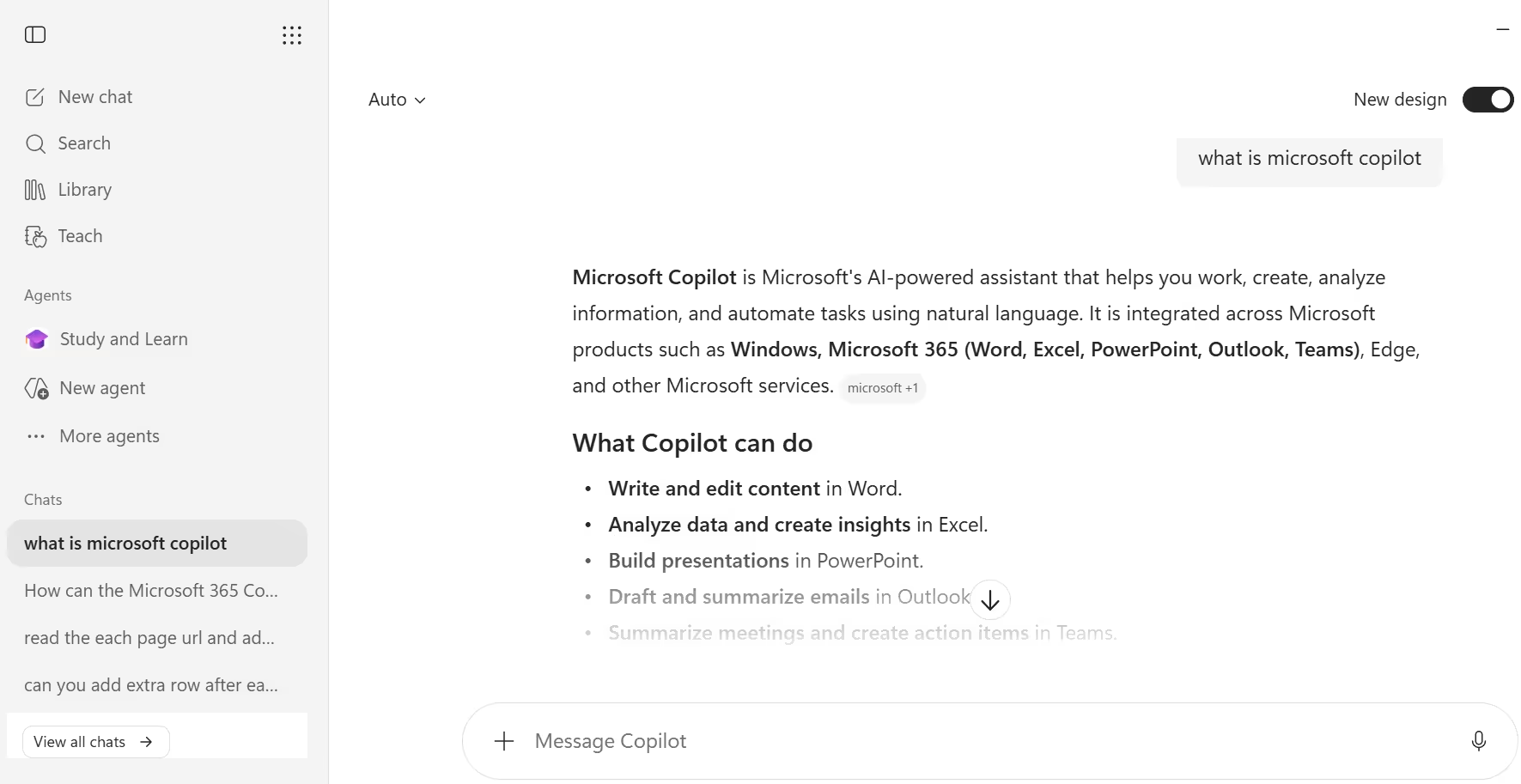
Microsoft Copilot is an AI assistant that helps individuals and businesses do more with AI tools and functionality, from research and writing to image generation and everyday productivity. For businesses, Microsoft 365 Copilot goes further by using large language models integrated with the Microsoft Graph and Microsoft 365 apps like Word, Excel, PowerPoint, Outlook and Teams to provide real-time intelligent assistance.
The platform is powered by Work IQ, a workplace intelligence layer that helps Copilot understand a user's job, company context and connected tools to deliver personalized, work-grounded answers. Copilot spans consumer and enterprise use cases, offering everything from simple chat and image generation to enterprise search, agents and Copilot Notebooks for organizing complex work.
Who Is the Owner of Microsoft Copilot?
Microsoft Copilot is owned and developed by Microsoft Corporation. It is distributed both as a free consumer AI assistant and as a licensed add-on for Microsoft 365 business and enterprise customers.
Who Is the Founder of Microsoft Copilot?
Microsoft Copilot does not have an independent founder, since it is a product line built by Microsoft's own engineering and AI teams. It was developed as part of Microsoft's broader integration of generative AI, building on the company's investment in OpenAI's technology.
When Was Microsoft Copilot Launched?
Microsoft Copilot has its origins as Bing Chat before being rebranded and expanded under the Copilot name, with Wikipedia's documentation dating to March 2023. Microsoft 365 Copilot for enterprise customers was later introduced and has continued expanding with features like Work IQ, Cowork, Notebooks and Agents through 2025 and 2026.
Where Is the Company Located?
Microsoft Corporation is headquartered in Redmond, Washington, United States. Copilot is delivered globally through Microsoft 365 apps, the web, Windows, mobile apps and the Edge browser.
Key Features of Microsoft Copilot
- AI chat and Cowork: Users get answers, drafted content and surfaced insights in seconds through secure AI chat, powered by Work IQ across Microsoft apps.
- Enterprise search: Copilot Search goes beyond keywords, using Work IQ to surface relevant results from a user's work content and apps.
- Agents: Ready-to-use agents from Microsoft and partners can automate common tasks or work on a user's behalf, tuned to specific workflows.
- Copilot Notebooks: Users can bring together chats, files, meeting notes and project materials, then build on them or generate podcast-style summaries.
- Create module: Ideas can be turned into designed content, videos, podcasts or surveys using a prompt, template or company brand kit.
- Copilot Pages: A collaborative canvas lets users copy, edit and build on AI-generated content like a shared document.
- Copilot in Microsoft 365 apps: Copilot works directly inside Word, Excel, PowerPoint, Outlook, Teams and OneNote for drafting, analysis and summarization.
- Copilot Vision: This feature can decode and analyze visual content to help with research and everyday tasks.
- Declarative agents and Agent Builder: Businesses can build custom agents tailored to their own workflows and data.
- Deep research mode: Copilot can perform more thorough, multi-step research when a user needs deeper analysis.
- File and document chat: Users can upload files and PDFs to ask questions, get summaries or analyze content directly.
- Memory and personalization: Copilot can remember custom instructions and preferences to personalize future responses.
- Enterprise Data Protection: Prompts, inputs and responses are never used to train the models, and access is governed by existing Microsoft 365 permissions and sensitivity labels.
- Microsoft Purview integration: Security and compliance controls are available for Copilot and Copilot Chat through Microsoft Purview.
Best Use Cases of Microsoft Copilot
Microsoft Copilot is best for individuals who want a free AI assistant for research, writing, travel planning and image generation directly in their browser. It is especially useful for business users who need AI-powered help drafting documents, analyzing spreadsheets, summarizing meetings and searching enterprise content across Microsoft 365 apps.
It also fits organizations that want secure, governed AI adoption, since Copilot inherits existing Microsoft 365 permissions, sensitivity labels and retention policies. Because it supports custom agents and an Agent Store, it is well suited for teams that want to automate recurring tasks specific to their own workflows.
F.A.Q (13)
Pros and Cons
Pros
- Deep Microsoft 365 Integration
- Enterprise-Grade Security And Governance
- Works Across Word
- Excel
- PowerPoint
- Outlook And Teams
- Custom Agents And Agent Store
- Free Consumer Version Available
- Web And Work Data Grounding
- Copilot Notebooks For Organizing Work
- Data Not Used To Train Models
Cons
- Full Microsoft 365 Copilot Costs Extra On Top Of Existing Licenses
- Some Features Unavailable In Government Cloud Environments
- Best Value Requires Existing Microsoft 365 Subscription
- Feature Rollout Varies By Plan And Region
Reviews
You must be logged in to submit a review.
No reviews yet. Be the first to review!


Similar Tools

AI image generation platform for creating high-quality, stylized visuals from text prompts
2026-07-14
$8 per month

Salesforce's platform for building autonomous AI agents that connect to CRM data and take real actions
2026-08-14
Free + From $500

Privacy-focused AI code assistant offering context-aware completions and enterprise-grade control
2026-08-04
Free + from $39/mo