
If you’ve ever looked at a photo and wished you could just tell it to fix itself, like, literally speak to it, you are exactly who ChatPic was built for. It’s part of a new wave of tools that are turning photo editing from a technical skill into a casual conversation. Instead of hunting for the “clone stamp” tool or figuring out layers, you just type, “Remove that stranger in the background,” and the AI does the heavy lifting.
It feels a bit like magic, or perhaps just what we always hoped computers would eventually do.
What Is ChatPic?
At its simplest, ChatPic is an AI-driven image editor and creation tool that lets you modify photos using natural language prompts. Think of it as a chatbot that has eyes. You upload an image, and instead of clicking buttons, you chat with an AI assistant that understands visual context.
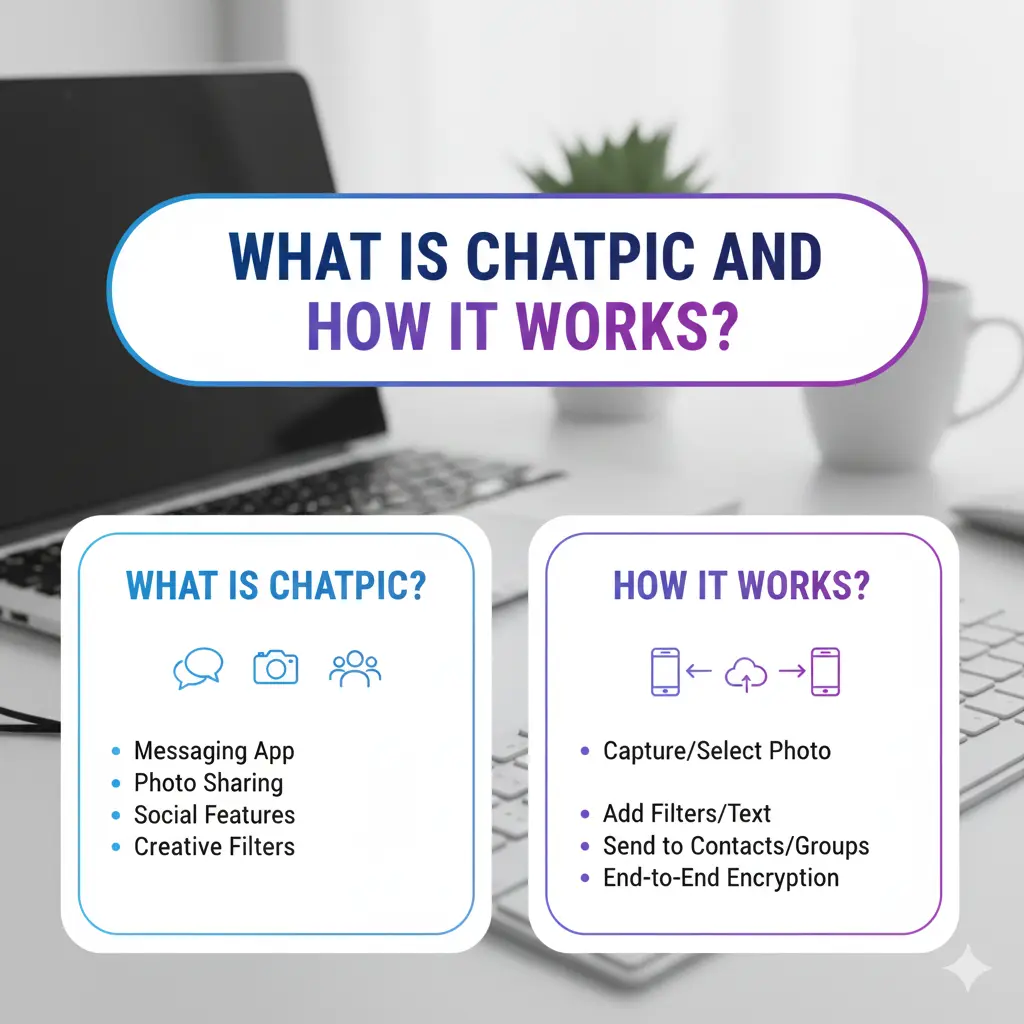
Whether you are using the mobile app or accessing the tool via chatpic.org, the core promise is the same: making advanced editing accessible to everyone. It combines generative AI (creating new pixels) with visual understanding (knowing what’s in your photo), allowing users to restore old family portraits, swap backgrounds, or generate entirely new art styles just by asking. It is essentially a “ChatPic AI tool” designed to bridge the gap between complex software like Photoshop and total beginners.
How ChatPic Works?
The process is refreshingly straightforward because it mimics human interaction. You don’t need to learn a dashboard; you just need to know how to describe what you want.
- Upload & Analyze: You start by uploading an image to the platform. The AI doesn’t just see pixels; it analyzes the context, identifying objects, lighting, and even the “vibe” of the shot.
- The Chat Phase: This is where the AI chat prompts come in. You type a command like, “Make the sky look like sunset” or “Remove the coffee cup from the table.”
- Generation & Edit: The AI interprets your text, correlates it with the visual data, and executes the edit. If you are doing image generation, you might just type a prompt from scratch, and it builds a visual from nothing. It’s less like using a tool and more like giving instructions to a digital artist who never sleeps.
Do you know: How to Use Perplexity AI to Generate Images on WhatsApp?
What Are the Key Features of ChatPic?
ChatPic packs a surprising amount of power behind its simple chat interface. It isn’t just for fixing mistakes; it’s for creative reimaging.
- Natural Language Editing: The standout feature. You don’t need technical jargon; “fix the lighting” works just as well as “increase exposure by 10%”.
- Image Restoration: It breathes new life into damaged or faded photos. Users often use this to colorize black-and-white photos or sharpen blurry faces in vintage family albums.
- Background Removal & Object Erasure: You can wipe out unwanted photobombers or messy rooms instantly. The mobile app even touts an “on-device object remover” for quick fixes without internet.
- Style Transfer: Want your selfie to look like a Ghibli movie or an oil painting? The AI can re-render your image in completely different artistic styles.
ChatPic Features vs Competitors
When you compare ChatPic vs ClipDrop, the difference usually comes down to “ease” versus “control.”
- ClipDrop is a powerhouse for professionals. It excels at specific, utility-focused tasks like relighting scenes for products, upscaling images for print, or removing backgrounds in bulk for e-commerce. It feels like a set of laser-focused surgical tools.
- ChatPic, on the other hand, is the friendly creative partner. It is better for ChatPic comparisons where the user wants a fun, conversational experience rather than a technical workflow. While ClipDrop is often the go-to for designers, ChatPic wins for casual users who want to “face swap” or “anime-ify” a picture in seconds without tweaking sliders.
Do you know: How Many Images Can You Upload to DeepSeek
What are the benefits of using ChatPic?
Why would you switch to a chat-based editor? Mostly because it removes the friction between having an idea and seeing the result.
- Zero Learning Curve: If you can send a text message, you can edit a photo. This makes it an incredibly easy photo editing solution for parents or grandparents.
- Speed: It is a quick AI tool. There is no need to manually trace around an object to select it; the AI understands “the cat” and selects it for you.
- Creativity Unlocked: Because it’s so easy to try things (“What if I had purple hair?”), users experiment more than they would in traditional software.
Use Cases (Who Uses ChatPic?)
The user base is as varied as the prompts people type.
- Marketers & Social Media Creators: They use it to quickly cleanup product shots or generate engaging, stylized visuals for Instagram without hiring a designer.
- Casual Users: From removing an ex from a vacation photo to turning a pet’s picture into a superhero poster, it’s huge for personal amusement.
- Students: Quick visual aids for presentations or enhancing low-quality images for projects.
- Historians/Genealogists: The restoration features make it a favorite for digitizing and fixing old archives.
Limitations & Considerations
Of course, no AI is perfect, and relying on a “magic button” has its downsides.
- Accuracy: Sometimes the AI hallucinates. You might ask it to remove a person, and it might replace them with a weirdly shaped bush or a three-legged dog. It doesn’t always “get” complex instructions perfectly.
- Privacy: When you upload photos to any cloud-based AI, you are entrusting that data to a third party. While chatpic.org has a high trust rating on safety checkers, you should always be cautious about uploading sensitive or personally identifiable images to any online tool.
- Control: You surrender fine-tuned control. You can’t easily say “move this pixel 2mm to the left” like you can in Photoshop.
Also check the: Top 10 Image Annotation Tools
Availability
- Platform: The ChatPic AI app is available on the Apple App Store for iPhone, iPad, Mac, and Apple Vision. It requires iOS 17.0 or later.
- Cost: The app follows a “freemium” model. It is free to download but offers in-app purchases for “credits” (e.g., 100 credits for $1.99) or weekly/monthly subscriptions.
- Status: The original ChatPic.org website is offline and not officially operating
Is ChatPIC down?
Based on recent status checks from early 2026, ChatPic.org appears to be experiencing significant downtime or instability.
- Current Status: Several monitoring services (like “Down For Everyone Or Just Me” and “Up Down Radar”) report that the site is down as of January 2026.
- Recent History: There have been fluctuating reports. While some checks show the server is technically reachable (meaning the machine is on), the website itself is often not responding correctly to users.
- User Reports: Users on forums like Reddit have complained about issues accessing the site or specific features not working.
If you cannot access it, the problem is likely on their end, not your internet connection. You may need to wait for maintenance to finish or look for an alternative tool in the meantime.
Recent News: The Grok AI Undressing Scandal
Conclusion
ChatPic represents a significant shift in digital creativity, moving photo editing from complex software menus to simple, human conversation. By allowing users to edit, restore, and generate images using natural language, it democratizes artistic tools that were once reserved for professionals.
While it may not offer the pixel-perfect precision of tools like ClipDrop or Photoshop, its value lies in accessibility and speed. It is the ideal solution for social media creators, students, and casual users who want to transform their photos instantly without learning technical skills. As long as users remain mindful of privacy and AI limitations, ChatPic stands out as a powerful, user-friendly companion in the modern creative toolkit.
FAQs
It is an AI tool that allows you to edit and generate images through a conversational chat interface, available on the web and mobile apps.
As of early 2026, chatpic.org is active and the server is responsive. If you are experiencing issues, it is likely a local connection problem or a temporary maintenance window.
Security reviews generally rate the site as legitimate and safe. However, always practice standard internet hygiene: don’t upload sensitive documents or compromising photos to public AI generators.
Most versions of ChatPic offer a free tier or trial, though premium features (like high-res downloads or unlimited generations) often require a subscription or credits.
It can, but it’s better suited for creative and corrective edits rather than pixel-perfect professional design work.
Disclaimer: The information provided in this article is for educational purposes only. The status, features, and safety of online tools like ChatPic can change rapidly. Users are advised to review the terms of service and privacy policy of any AI tool before uploading personal data. We are not affiliated with ChatPic or its developers.
