

Voiceflow
Collaborative platform for building, testing, and deploying chat and voice AI agents
Starting price Free + from $50/mo
Tool Information
What Is Voiceflow?
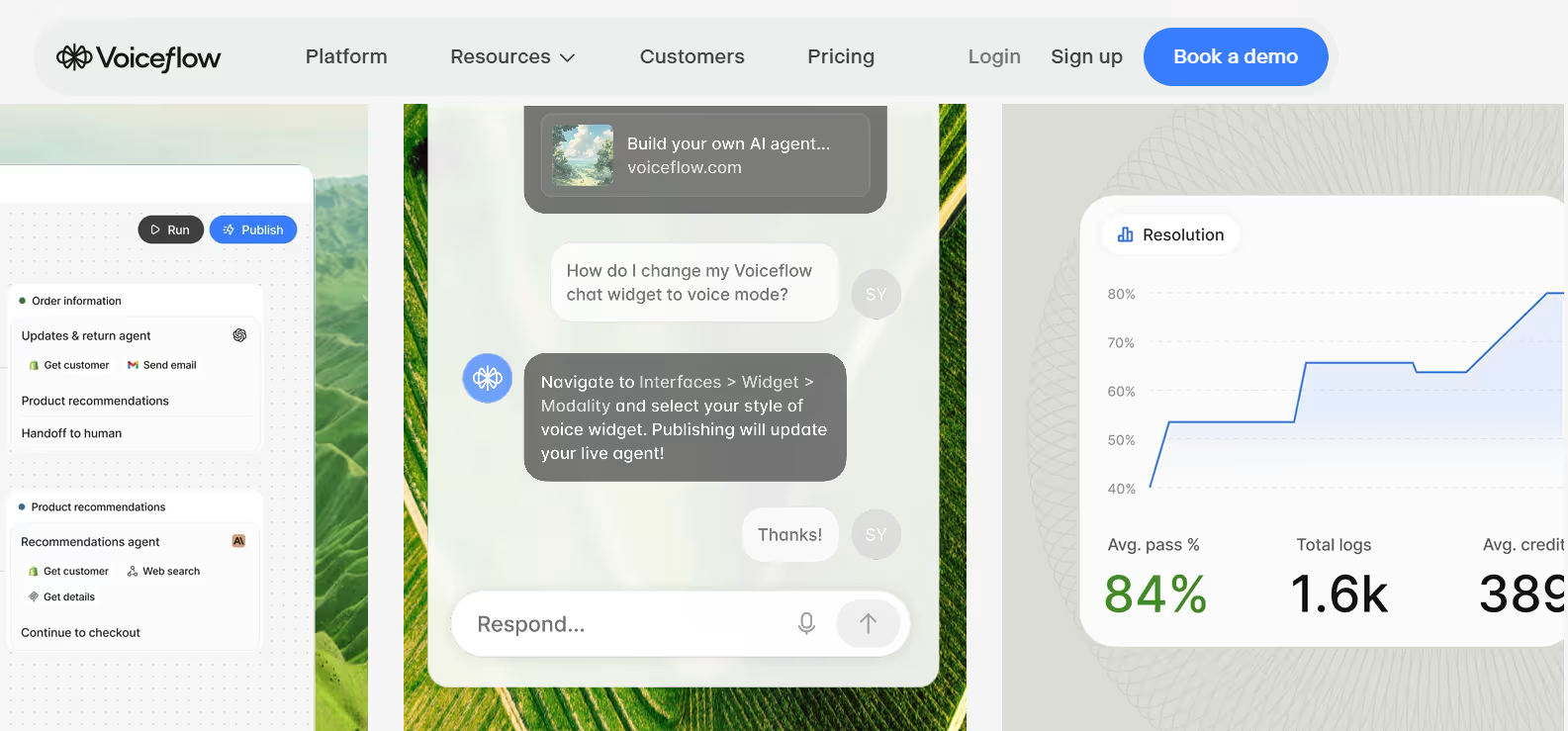
Voiceflow is a collaborative platform that lets teams visually design, develop, and launch AI agents using any AI models and integrations, spanning both chat and voice channels. Rather than a single-purpose chatbot builder, it functions more like a design canvas and orchestration layer, combining logic, custom code, models, and business content into one workflow.
Its April 2026 V4 platform release separated agent logic into two distinct tracks: Playbooks for open-ended reasoning and Workflows for deterministic, repeatable processes, giving teams more control over how predictable versus flexible their agents behave. Agents can connect to external tools by calling APIs, integrations, functions, and MCP servers directly within the builder.
Who Founded Voiceflow?
Voiceflow was founded by Braden Ream (CEO), along with co-founders Andrew Lawrence, Michael Hood, and Tyler Han. The Toronto-based team met in college building apps for Amazon Alexa, later dropped out together, and originally launched a product called "Storyflow" for building interactive Alexa Skills before pivoting to the broader Voiceflow platform. Sources vary slightly on the exact founding year: some cite 2017, others 2018, and Crunchbase lists 2019, though Ream himself has referred to "the founding of the company in 2018" in interviews.
Key Features of Voiceflow
- Workflow Builder: A collaborative drag-and-drop canvas for designing advanced conversation logic, supporting multi-step tasks and custom API/Function integrations.
- Playbooks and Workflows (V4): Separates open-ended AI reasoning from deterministic, rule-based processes for more predictable agent behavior.
- Multi-model access: Supports OpenAI, Anthropic, Google, Amazon Bedrock, GLM, and Groq, letting teams pick the best model for each use case.
- Omnichannel deployment: Deploys agents natively across chat, voice, and phone channels.
- Knowledge base integration: Connects agents to business content and documents to ground responses in accurate, relevant information.
- Real-time collaboration: Lets conversation designers and developers work together on the same canvas simultaneously.
- Observability and analytics: Provides real-time performance monitoring and analytics for deployed agents.
- Multi-client workspace management: Built for agencies managing multiple client projects from a single account, with white-labeling and client handoff tools.
- Team roles and permissions: Supports structured collaboration with defined access levels across larger teams.
- Version history: Tracks changes over time, with limits varying by plan (7-day on free tier, up to unlimited on higher tiers).
Voiceflow Pricing
Voiceflow uses a three-part pricing model: a subscription tier, per-seat editor costs, and usage-based credits that do not roll over month to month.
| Plan | Price | Credits/Month | Editors Included | Best For |
|---|---|---|---|---|
| Starter (Free) | $0 | ~100-1,000 (one-time or limited grant) | 1 | Prototyping and evaluation, not for production |
| Pro | $60-$120/month | 10,000-24,000 | 1 (+$50/month per additional) | Solo builders and small teams, up to 20 agent |
| Business | $150-$500/month | 30,000-100,000+ | 1 (+$50/month per additional) | Growing teams needing unlimited agents and priority support |
| Enterprise | Custom | Custom/Unlimited | Custom | Large organizations needing SSO, private cloud, and dedicated support |
Note: Reported starting credit amounts and intermediate pricing tiers vary somewhat across sources, with some listing additional Pro/Business sub-tiers (e.g., $90 and $120/month options). It's best to confirm current numbers directly on Voiceflow's pricing page.
Best Use Cases of Voiceflow
Voiceflow is best suited for teams and agencies that want full control over their agent's conversational logic and prefer to design once and run continuously, rather than paying per resolution. It particularly fits organizations needing both voice and chat coverage in one platform, and agencies managing multiple client deployments thanks to its white-labeling and multi-client workspace tools. Because its free tier is explicitly not meant for production, it's better suited to teams ready to commit to at least a Pro-level paid plan for real-world deployment.
F.A.Q (9)
Pros and Cons
Pros
- Visual Drag-And-Drop Canvas For Design And Collaboration
- Access To Multiple LLM Providers (OpenAI
- Anthropic
- Bedrock)
- Supports Both Chat And Voice Natively
- V4 Platform Separates Reasoning (Playbooks) From Deterministic Processes (Workflows)
- Multi-Client Workspace Management For Agencies
- White-Labeling And Client Handoff Tools
- Real-Time Observability And Analytics
- Free Trial Available With No Credit Card Required
- Long-Established Player (Founded 2017-2018)
Cons
- Three-Part Pricing (Subscription + Per-Seat + Credits) Can Get Complex
- Additional Editor Seats Cost Extra On Every Paid Plan
- Free Tier Explicitly Not Suited For Production Use
- Credits Don't Roll Over Month To Month
- Costs Can Scale Quickly For High-Volume Support Automation
Reviews
You must be logged in to submit a review.
No reviews yet. Be the first to review!


Similar Tools

AI assistant for writing, reasoning, searching, coding and productivity
2026-07-14
Free + from $20/mo

Conversational AI copilot for e-commerce analytics, reporting and automation
2026-07-19
Free

Salesforce's platform for building autonomous AI agents that connect to CRM data and take real actions
2026-08-14
Free + From $500